
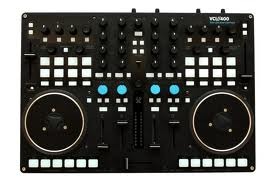
VCI-400SE Mapping (Raptor Adapter edit) Allows easier access of all the 4 Decks' PLAY Buttons
Description and Instructions
Minimal yet powerfull variation on my favorite mapping the (Flashflooder Edit)
- When focused on decks A and B, Hold SHIFT to access the 8 CUE points on decks C and D.
- In relation, When focused on decks C and D, Hold SHIFT to access the 8 CUE points on decks A and B.
Changed the Layout of all the Deck Play buttons so you can Play and Pause any deck at any time. Not having to switch back and forth as much, and being able to press PLAY on decks A and C at the same time, as well as decks B and D at the same time.
I created this edit because I'm doing a ton of mash ups which means I'm constantly mixing between all 4 decks.
Let me know what you think, Thanks
- When focused on decks A and B, Hold SHIFT to access the 8 CUE points on decks C and D.
- In relation, When focused on decks C and D, Hold SHIFT to access the 8 CUE points on decks A and B.
Changed the Layout of all the Deck Play buttons so you can Play and Pause any deck at any time. Not having to switch back and forth as much, and being able to press PLAY on decks A and C at the same time, as well as decks B and D at the same time.
I created this edit because I'm doing a ton of mash ups which means I'm constantly mixing between all 4 decks.
Let me know what you think, Thanks
Problem downloading or other issues? Let us know on the forum.
Comments for v0.1.0
jon6oy over 13 years ago
The 8 cue button tweak sound really cool. So many times when I could have done with something like that. But i'm not really following with the second change, is that a 'shift hold modifier' as well?


