GideonSTEM-Maschine — MK2 STEMS + Performance
Description and Instructions
Mapping for extreme stems use, Stand alone DJ controller with Traktor z1.
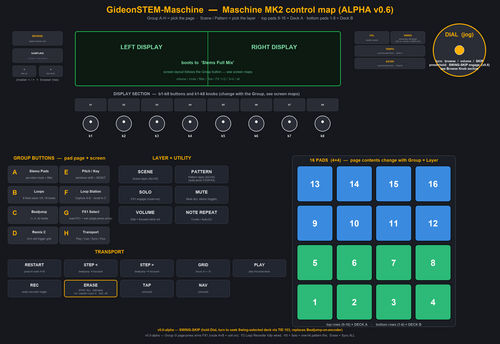
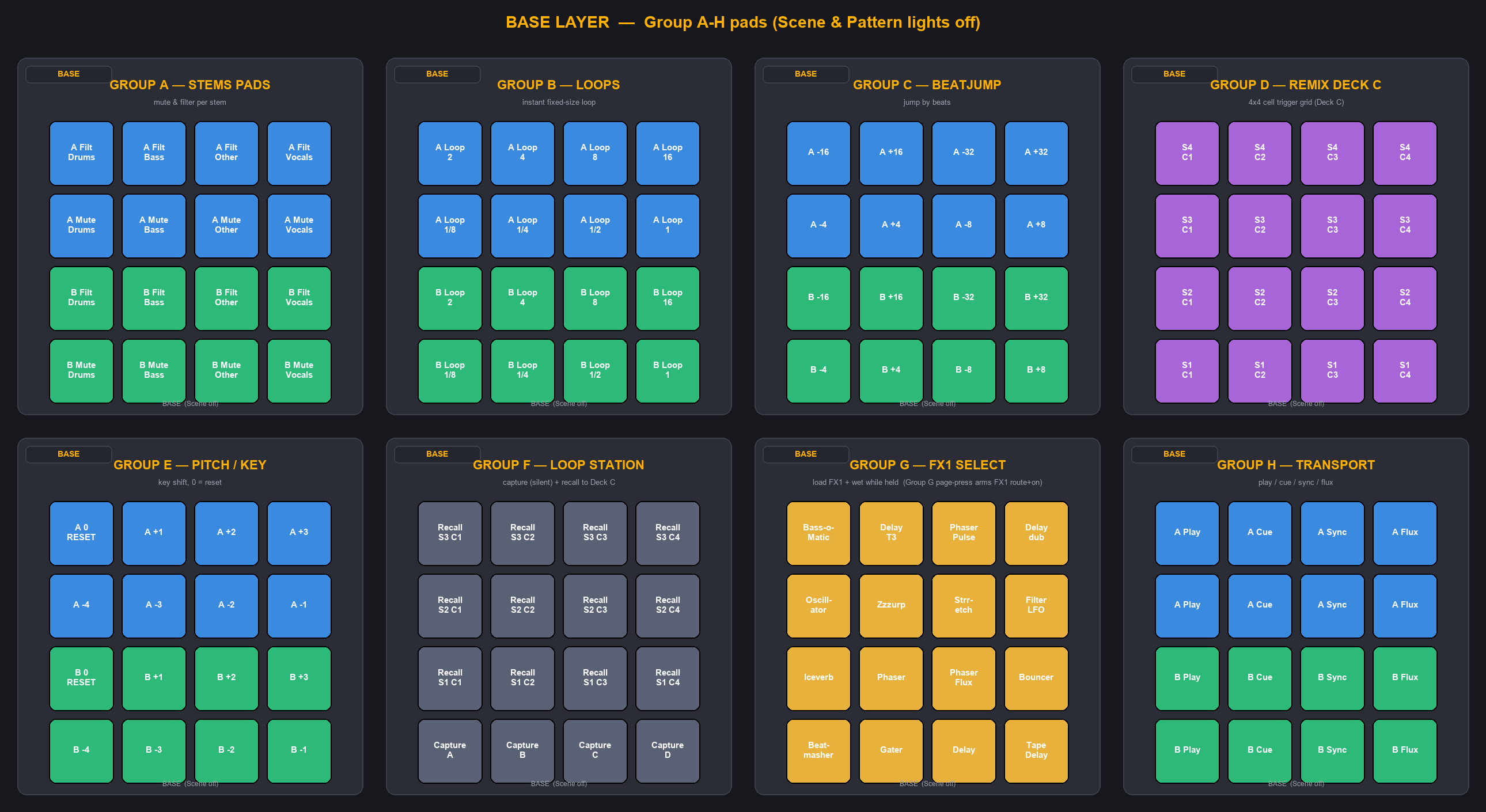
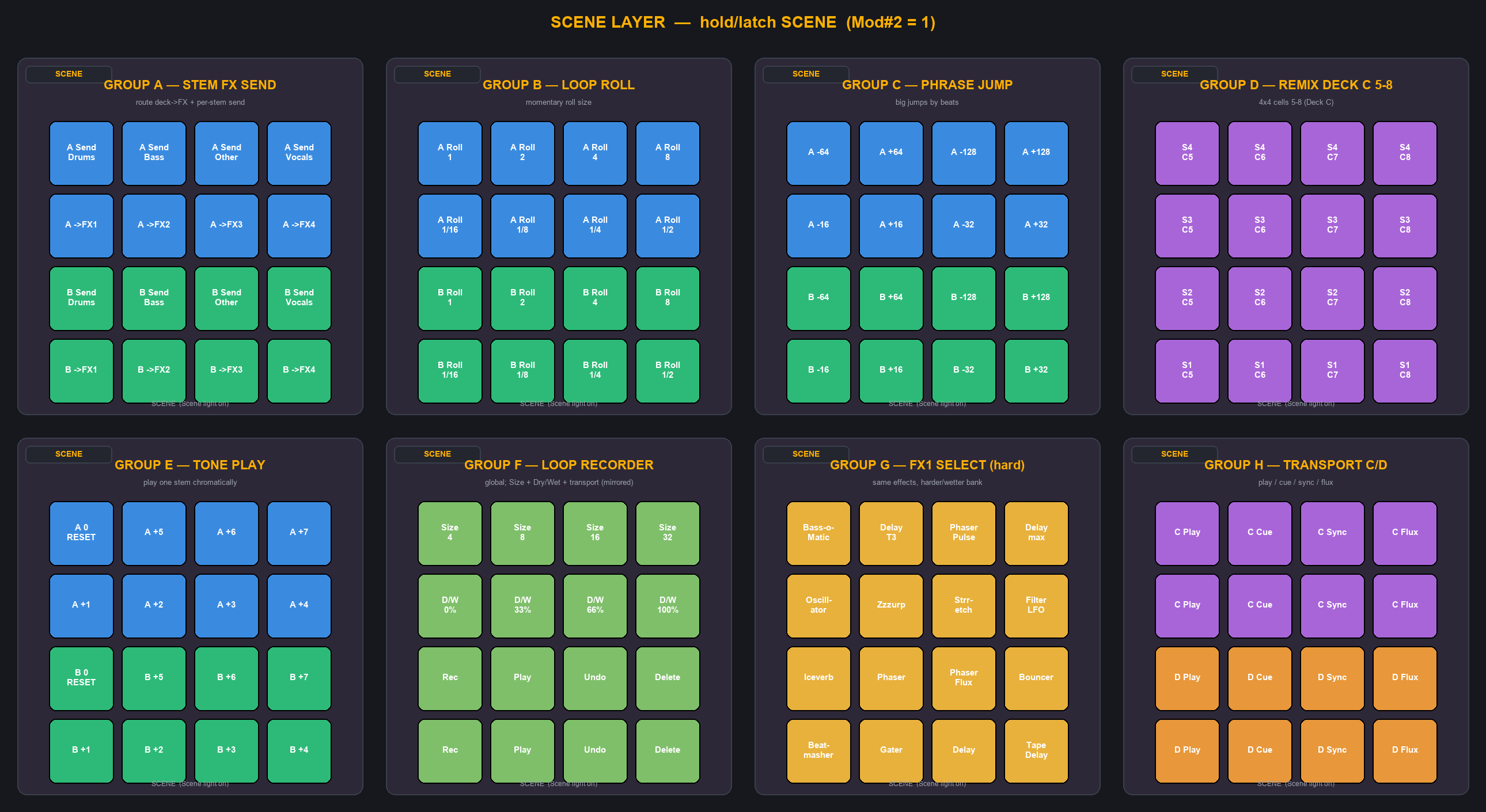
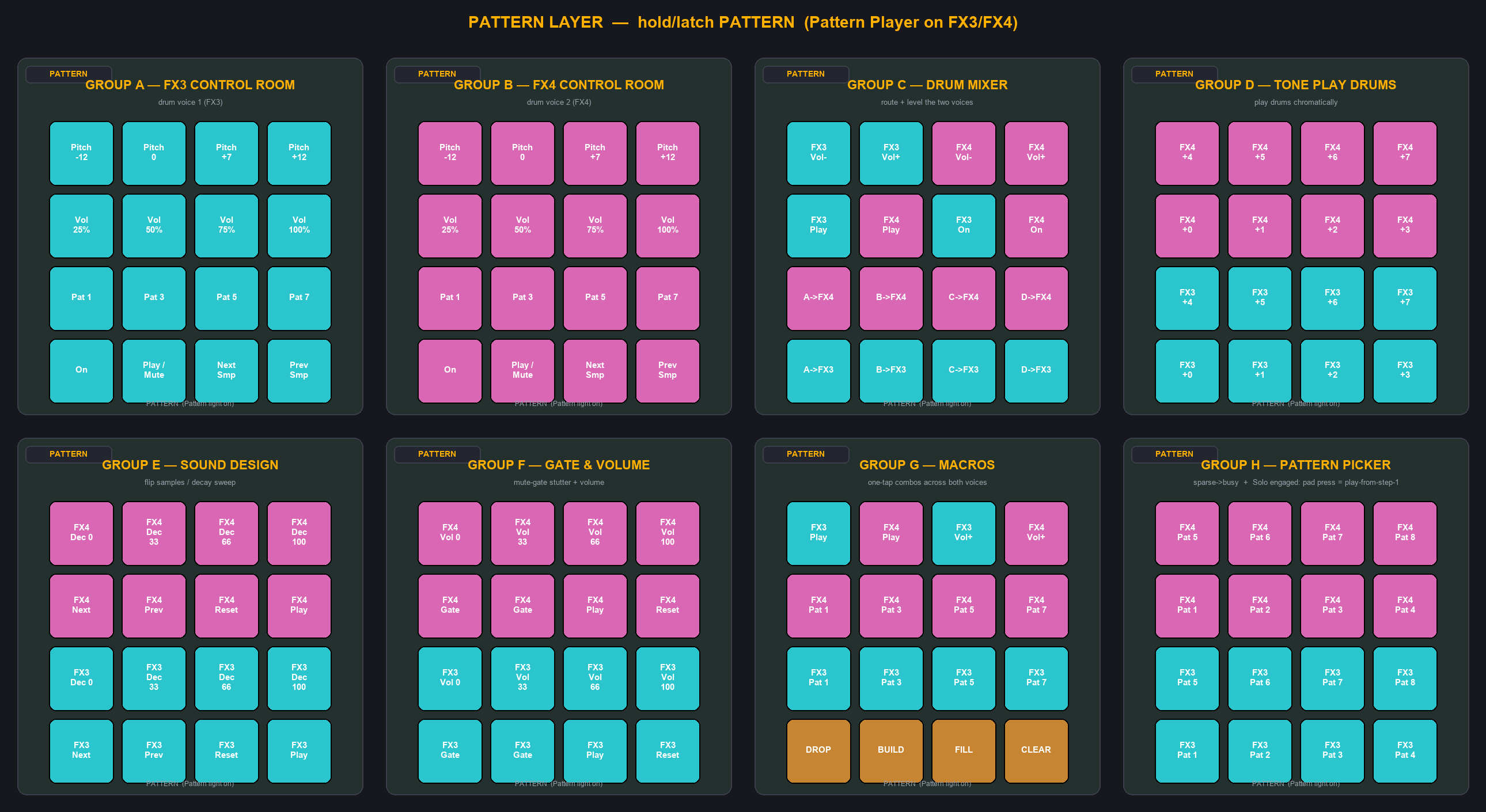
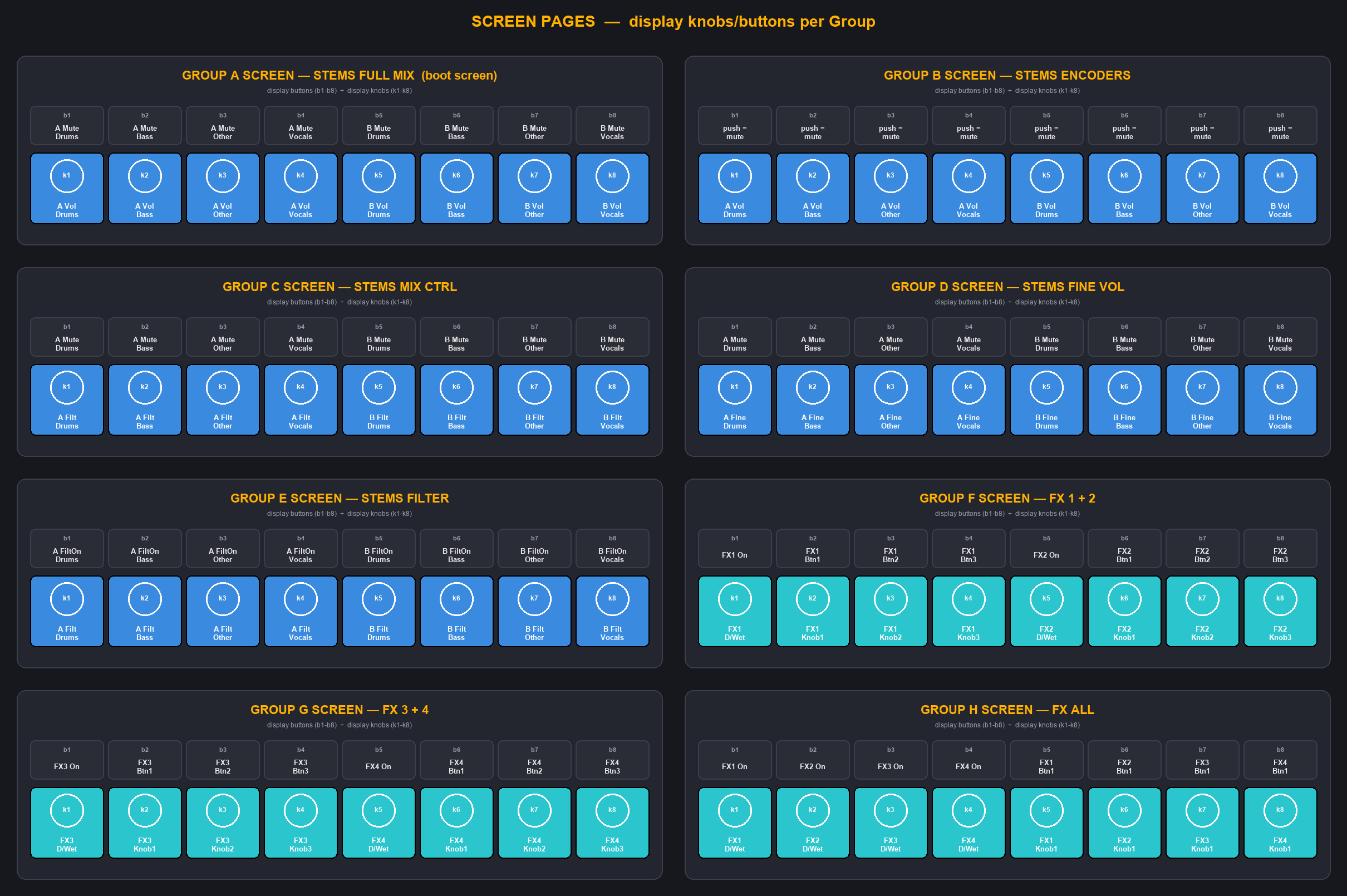
A full Traktor Pro mapping for the Maschine MK2 — now with 3 modifier layers and a 24-page pad surface (v0.6-alpha). Two-deck STEMS mixing (volume, mute, filter) across five on-screen layouts, plus eight Group buttons (A–H) that switch through three layers (Base / Scene / Pattern) for 24 distinct pad pages: stems, instant loops, beatjump, a full 4×4 remix grid, key/pitch play, tone-play, loop-roll, phrase-jump, a silent loop station, a full Loop Recorder, an FX1 selector, transport for all four decks, and a complete two-voice drum Pattern Player on FX3/FX4.
Lower buttons: play, jump-to-start (both decks), record, deck-focus toggle, beatjump, Scene/Pattern layer keys, FX1 engage (Solo), mute-all-stems, volume-mode (Dial → focused-deck volume), Note Repeat (Cruise/Auto-DJ), load to Deck A / Deck B, and bidirectional browser scroll on the Dial. Boots to the Full Mix mixer screen.
⚠ ALPHA — actively tested on hardware. Core stems, loops, beatjump, remix, key, transport, browse, the Scene-layer loop-roll and tone-play, the Pattern-layer drum routing, and mute-all are confirmed working. v0.6-alpha update (pending hardware test): SWING-SKIP — press & hold the Dial to engage skip mode, then turn the Dial to seek the playhead on the deck selected by the Swing button (LED on = Deck A, off = Deck B); instant, quantize-free response via Traktor's relative Seek Position (TID 103, replacing the laggy Beatjump-on-encoder). Swing CC is remapped CC9 → CC124 to clear the FX1 Dry/Wet collision. Load-to-focused-deck on Dial-press is replaced by Tempo = Load A / Enter = Load B. From v0.5-alpha: Group G FX1 arm now latches on the Group G page-press (route Deck A+B → FX1, unit on); the pad keeps only effect-select. The Scene-layer Loop Recorder (F2) is fully wired — Size 4/8/16/32, Dry/Wet 0/33/66/100%, and Rec/Play/Undo/Delete mirrored across two rows for two-hand reach. H3 Pattern Picker gains a Solo overlay: while Solo is engaged, a pad press fires Play-from-step-1 (release = mute). Erase button = Sync ALL (latched toggle; 1st tap = focused deck as Tempo Master + Sync on all 4, 2nd tap = off). Some LED/metering outputs still need hardware confirmation (assign a Traktor Out-Port). Please back up your existing Traktor + Controller Editor settings before importing. A full labeled layout guide (control map + all 24 pad maps + 8 screen maps + printable per-page PDFs) is in the download.
Install: load the included .ncc in NI Controller Editor and import the .tsi in Traktor → Controller Manager (assign In + Out ports to all three devices: Stems, Performance, FX).
Compatible with: NI Maschine MK2 (full); NI Maschine MK1 from the same .tsi/.ncc (monochrome, no Dial — alpha, untested on hardware).
You must have: Traktor Pro 4 (stems need Traktor Pro 3+; the drum Pattern Player needs Pro 4) · NI Controller Editor
100% original — no third-party mapping data. Built by reverse-engineering the Traktor format and studying community mappings purely as format references (4 Decks Cue/Fx/Stem, Maschine MK2 2.6.1, MF Twister STEMS, Maschine Mikro VU, Maschine ONE, Xone:K2, S4 Instant JogFX, and others). Originally inspired by DJ Reybans' mapping; no Reybans code remains. Full credits + a labeled layout guide are in the download README. A sanitized public TID reference (Traktor command IDs) is also included as TID_catalog_public.xlsx.
Full layout guide — one printable sheet per layer (8 pad pages on each, in a 4×2 grid). Same images that ship as letter-landscape PDFs in the download under diagrams/:
Free companion tool: Stem Check for Traktor — instantly see which of your Traktor tracks actually have stems. Free download: https://traks.ca/stemcheck